Green android L Analog Clock1.0
Publisher Description
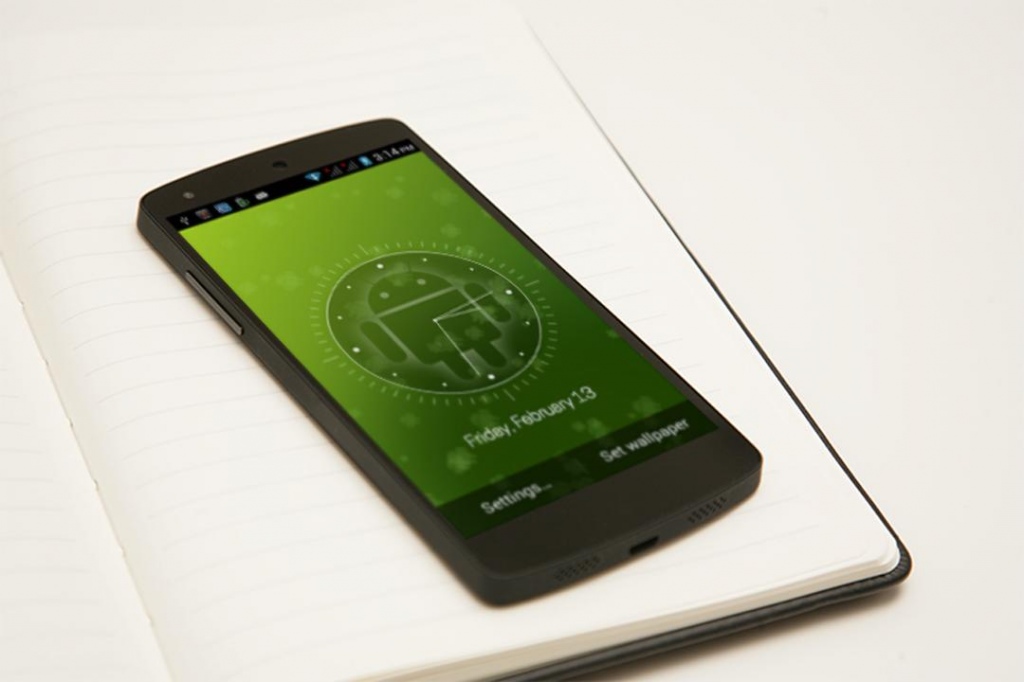
Green Android L Analog Clock Live Wallpaper
Green Android L Analog Clock Live Wallpaper is an Animated Analog Clock live wallpaper that feels real hd analog clock.
A live wallpaper that show analog clock with exclusively HD background and dashing analog clock with superb color combination and attractive spinning hands. This wallpaper shows analog clock with today's date and day of week.
A cyan and Balck Dashing color will always make your mobile screen attractive and stunning. The appearance can be changed with several parameters.
- Indicate Live Animated Hour Hand
- Indicate Live Animated minute Hand
- Indicate Live Animated Second Hand
- Showing today's date and day of week
- Analog Clock is there for actual time
- Note that the free version displays ads, but only in the settings screens.
Installation instructions:
Home -> Menu -> Wallpapers -> Live Wallpapers ->Green Android L Analog Clock Live Wallpaper
About Green android L Analog Clock
The company that develops Green android L Analog Clock is Logic Games. The latest version released by its developer is 1.0.
To install Green android L Analog Clock on your Android device, just click the green Continue To App button above to start the installation process. The app is listed on our website since 2015-02-19 and was downloaded 15 times. We have already checked if the download link is safe, however for your own protection we recommend that you scan the downloaded app with your antivirus. Your antivirus may detect the Green android L Analog Clock as malware as malware if the download link to com.green.android.hd.digitalclock is broken.
How to install Green android L Analog Clock on your Android device:
- Click on the Continue To App button on our website. This will redirect you to Google Play.
- Once the Green android L Analog Clock is shown in the Google Play listing of your Android device, you can start its download and installation. Tap on the Install button located below the search bar and to the right of the app icon.
- A pop-up window with the permissions required by Green android L Analog Clock will be shown. Click on Accept to continue the process.
- Green android L Analog Clock will be downloaded onto your device, displaying a progress. Once the download completes, the installation will start and you'll get a notification after the installation is finished.
